

Teams and Locations
How do I invite my team to Reclaimr?
Step-by-step guide to inviting team members to your Reclaimr account.
Updated Oct 21, 2026
Owners, Admins, and Managers can invite people. A Manager can invite someone as a Manager, Estimator, or Viewer, and only to the locations the manager can access.
- Login to Reclaimr. Click Your Team (person icon) in top right
- Click Invite Member in the top right corner.
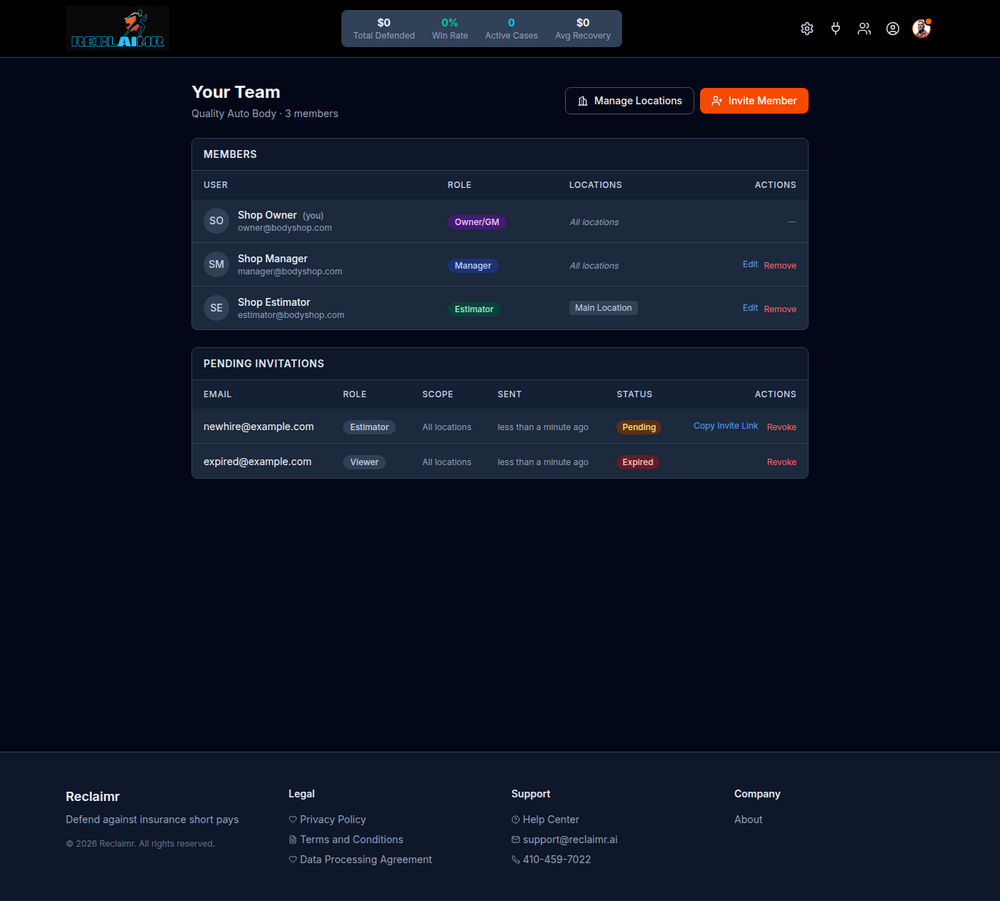
- Enter Email, Select Role, and Click Send Invitation
- See more: Team Roles in Reclaimr
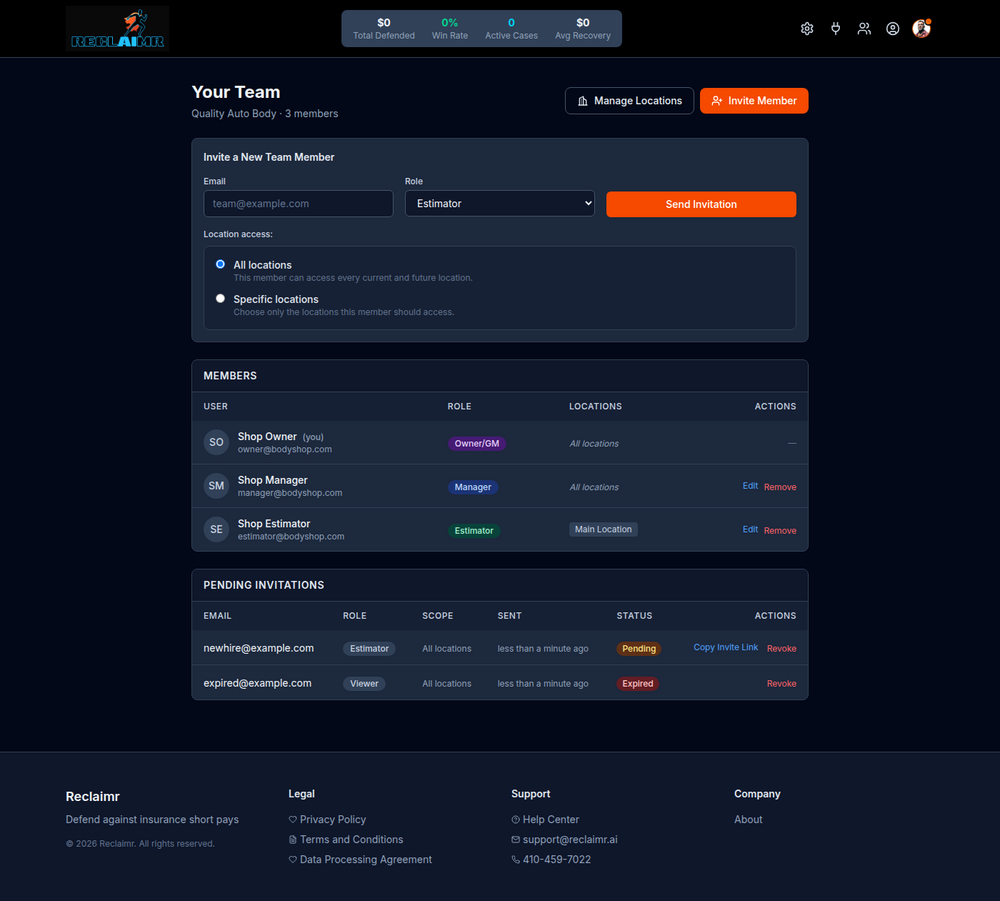
- Your team member will receive an email from Reclaimr noreply@mail.herogroup.ai with the subject Join [Shop Name] on Reclaimr. They need to click Set Up Account.
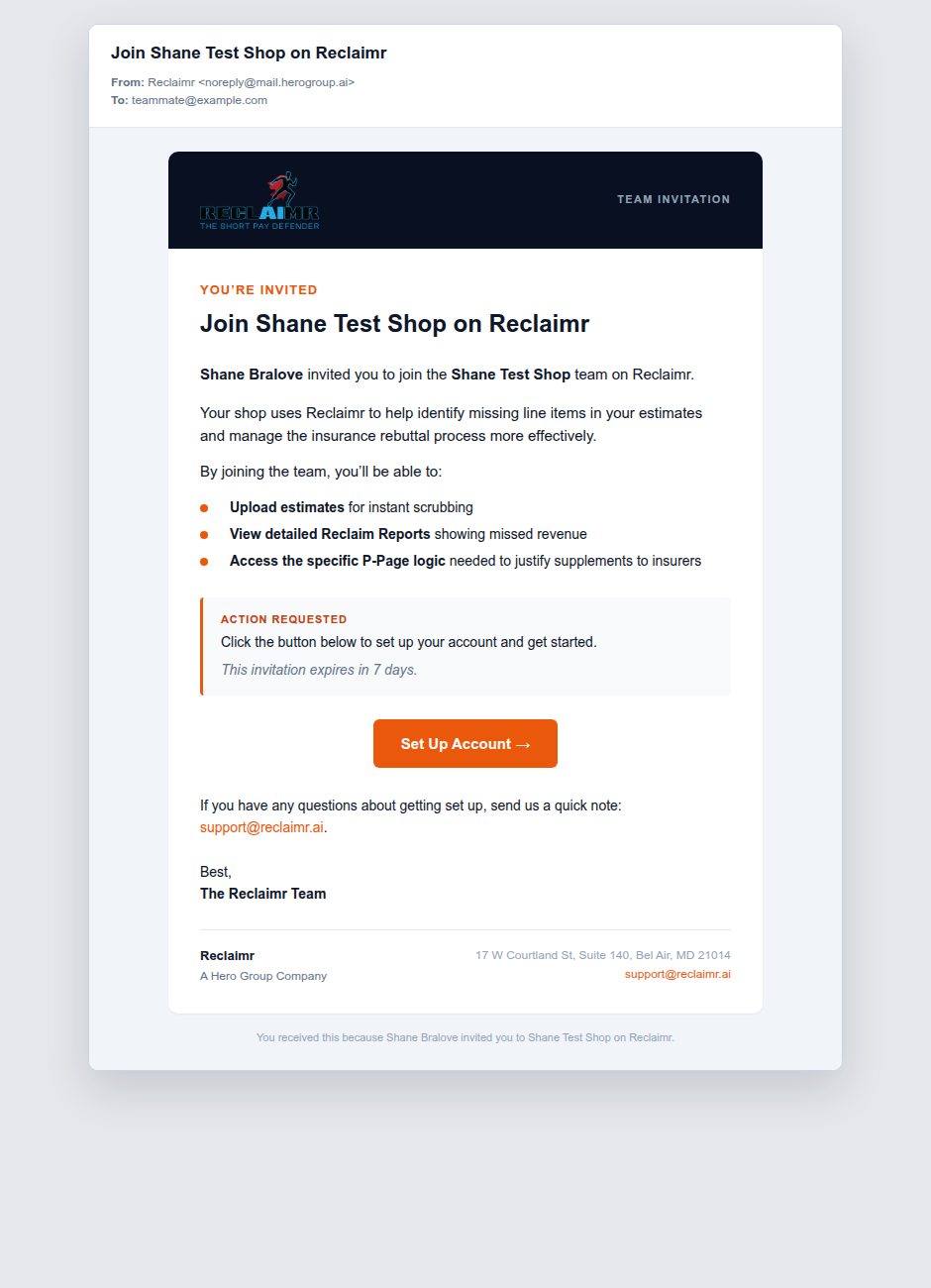
- Your Team Member just needs to enter their name, email address, and set a password, then click Create Account & Join.
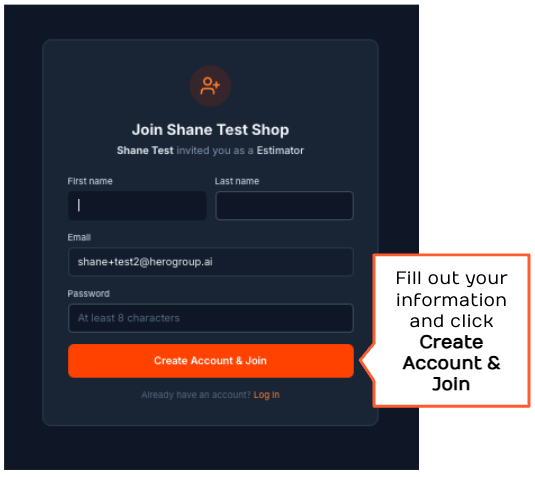
Once a team member creates an account, Reclaimr will walk them through onboarding. Some setup steps may already be handled by your shop, but every team member must review the Reclaimr agreements before reaching the dashboard.
Once your team member is logged in, they can view how to start your first case.