

Teams and Locations
How to set team member locations
Restricting team members to specific shop locations in Reclaimr.
Updated May 25, 2026
If you manage a shop with multiple locations, you can set up your team members to have access to estimates at all locations – or only specific locations.
Giving access to specific locations makes it easier for them to see information that is relevant to them.
How to change:
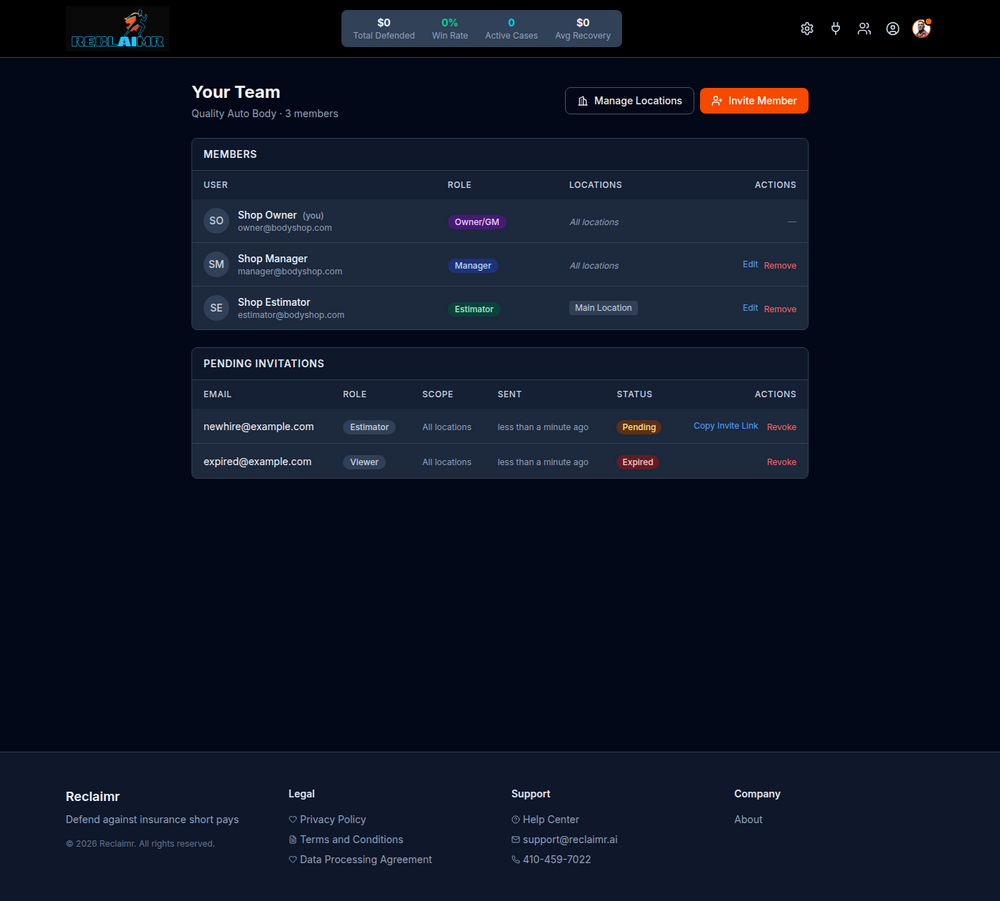
- Click Your Team (person icon) in the top right corner.
- Then click Edit on the person you want to change.
- By default, all locations are enabled. You can uncheck any locations to remove access. Then click Save Changes.
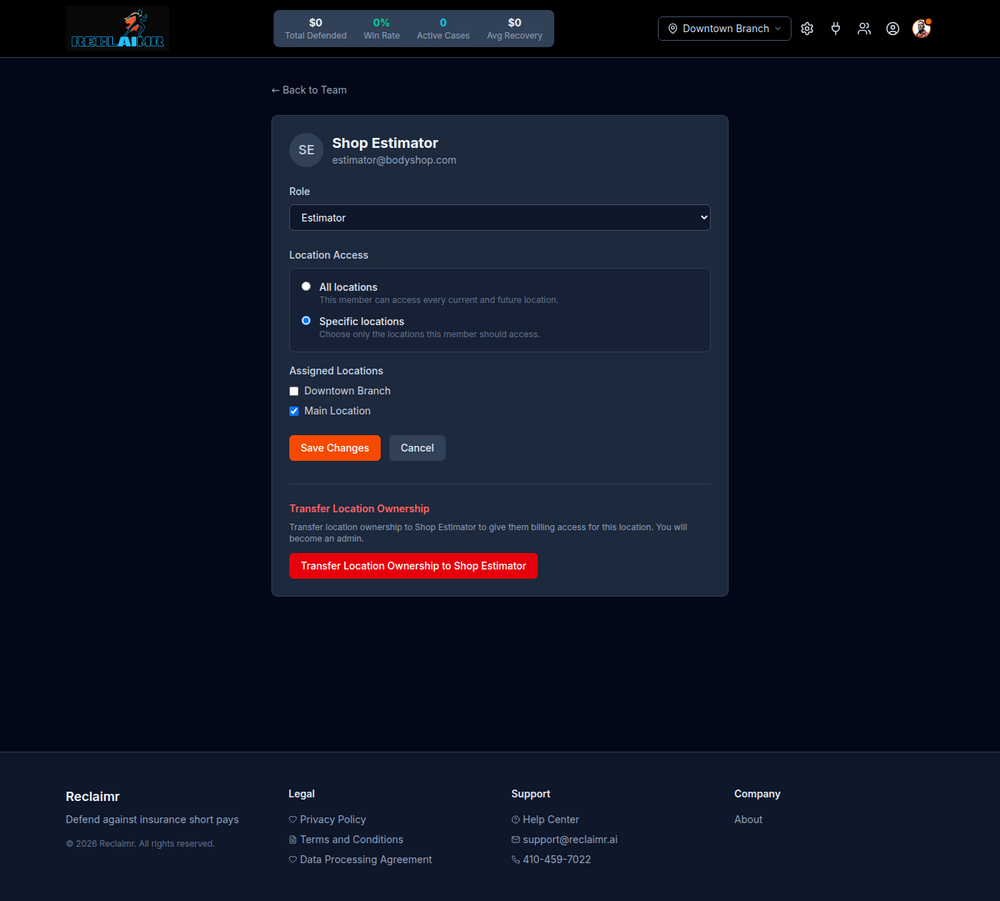
Once the team member refreshes, their location preferences will be in effect.