

Billing and Payment
How do I add a new card?
How to add a new payment method to your Reclaimr billing account.
Updated Oct 12, 2026
Add a new card to your account so you can pay with it or switch your subscription to it.
- Open your billing portal. In Reclaimr, an owner, admin or manager clicks the card icon at the top of the page: it opens your billing portal (or the Billing page, where you click Manage billing & invoices). You can also open it directly: your billing portal. Billing is handled by Stripe, our payment processor.
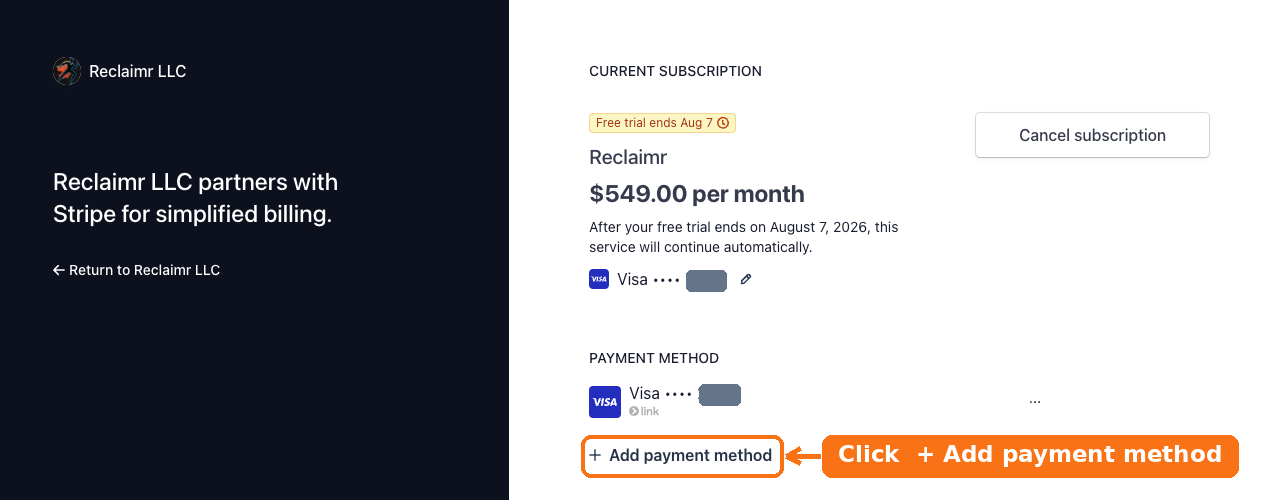
Under Payment method, click + Add payment method.
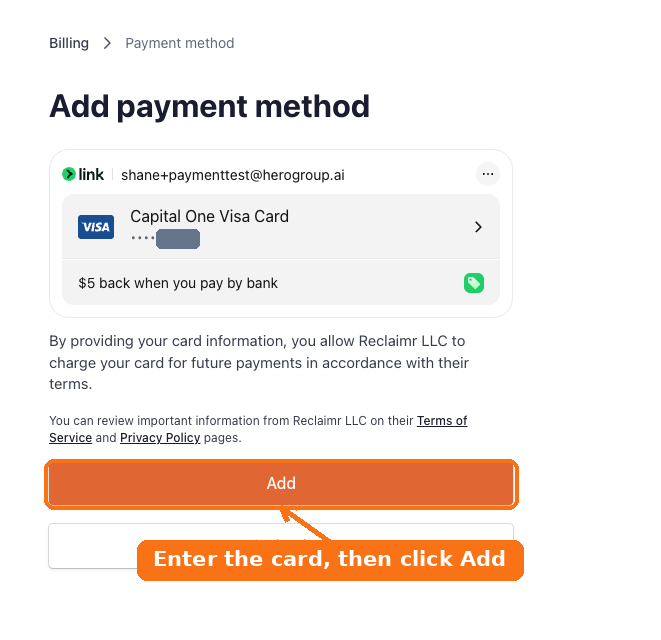
Enter your card details, then click Add.
To then use this card for your subscription, see How do I change the card on my subscription?
For your security, we cannot take card details over the phone or by email.