
How do I install Hero Connect on Windows?
Step-by-step guide to downloading and installing the Hero Connect shop computer app on Windows.
Updated Jul 7, 2026
Hero Connect is the shop computer app that keeps Reclaimr open on the computer you use for estimating work.
These steps are for Windows computers.
Before you start
- Use the shop computer where you want Hero Connect to run.
- Keep your Reclaimr email and password handy.
- If Windows asks whether to allow Hero Connect to make changes, click Yes only if the app name is Hero Connect.
1. Download Hero Connect
Open Download Hero Connect for Windows.
Your browser downloads an installer named HeroConnectSetup. It usually appears in your Downloads folder.

If your browser warns about the download
This is normal — it is not a problem with the file or your computer, and you do not need to call support before continuing.
Because Hero Connect is a specialized app used by body shops, it is not downloaded by millions of people every day, so Windows and your web browser show an extra caution message. You may see either of these:
In the browser download bar, a message like HeroConnectSetup.exe isn't commonly downloaded. Make sure you trust HeroConnectSetup.exe before you open it.
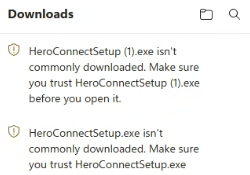
- Point to the HeroConnectSetup line in the download list.
- Click the three dots (…) next to it, then click Keep.
- If it asks again, choose Keep anyway.
When you open the installer, a blue box titled Windows protected your PC.
- Click More info.
- Click Run anyway.
If Windows then asks whether to allow the app to make changes, click Yes — but only if the app name shown is Hero Connect.
If you accidentally download the installer more than once, you may see files named HeroConnectSetup (1) or HeroConnectSetup (2). Any one of them works — just use one and delete the extras.
2. Open the installer
In Downloads, double-click HeroConnectSetup.
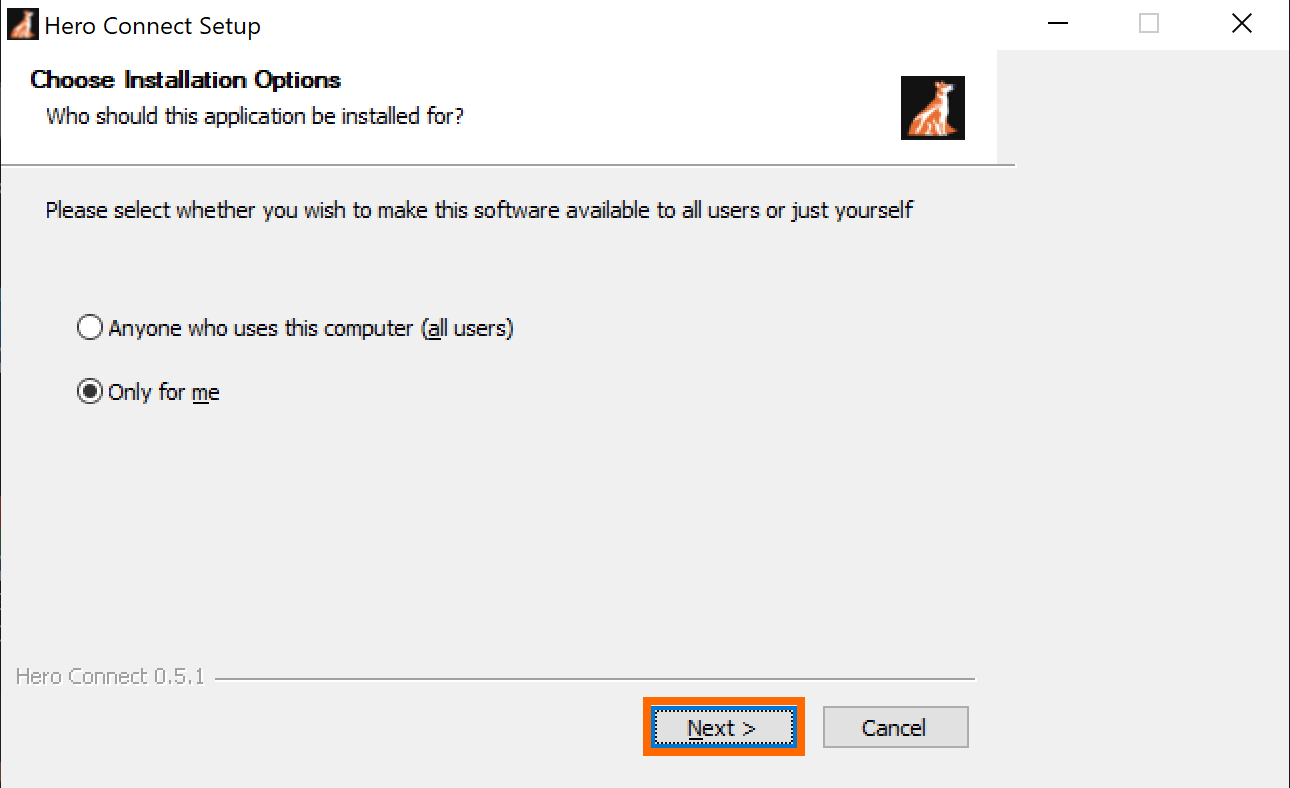
3. Choose who can use Hero Connect
Leave Only for me selected unless your shop's IT person tells you to install it for every Windows user. Click Next.
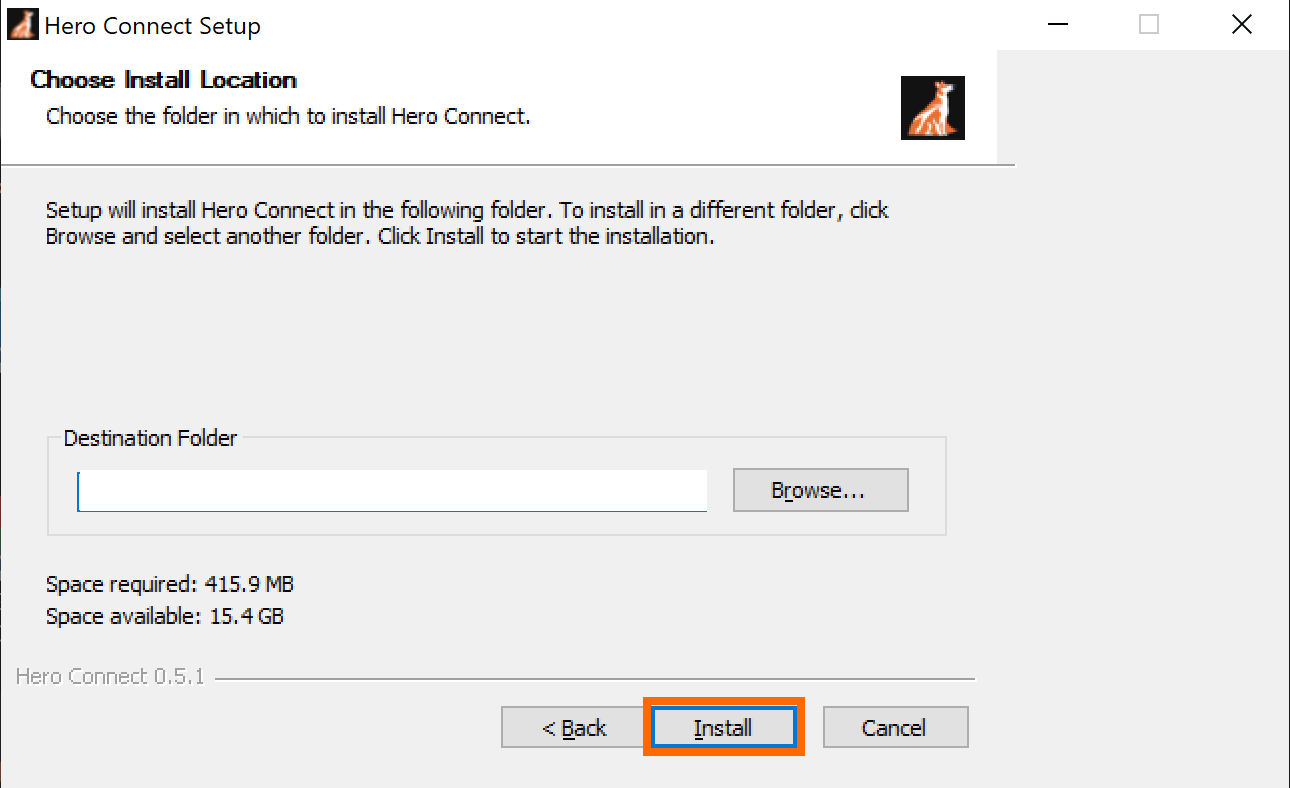
4. Keep the install location
Leave the install location alone and click Install.
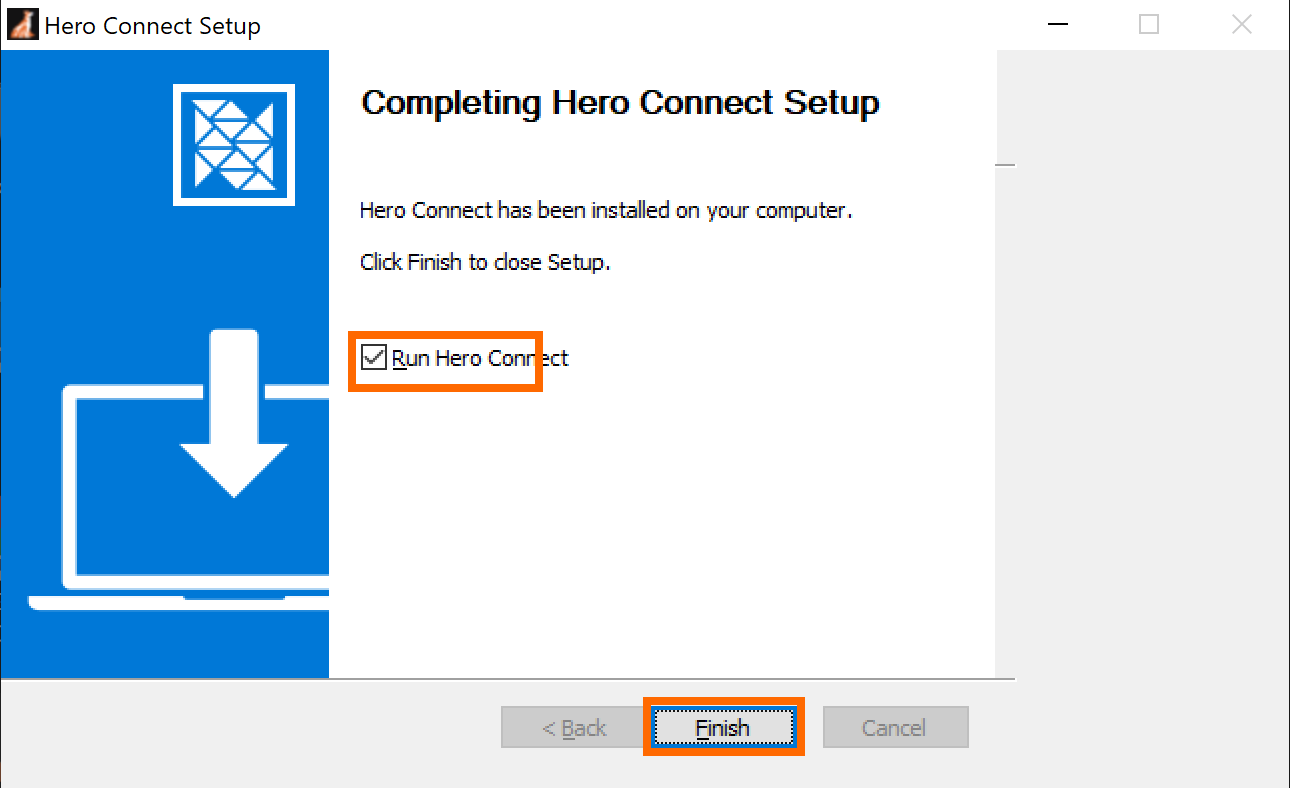
5. Finish setup
Keep Run Hero Connect checked and click Finish.
6. Sign in
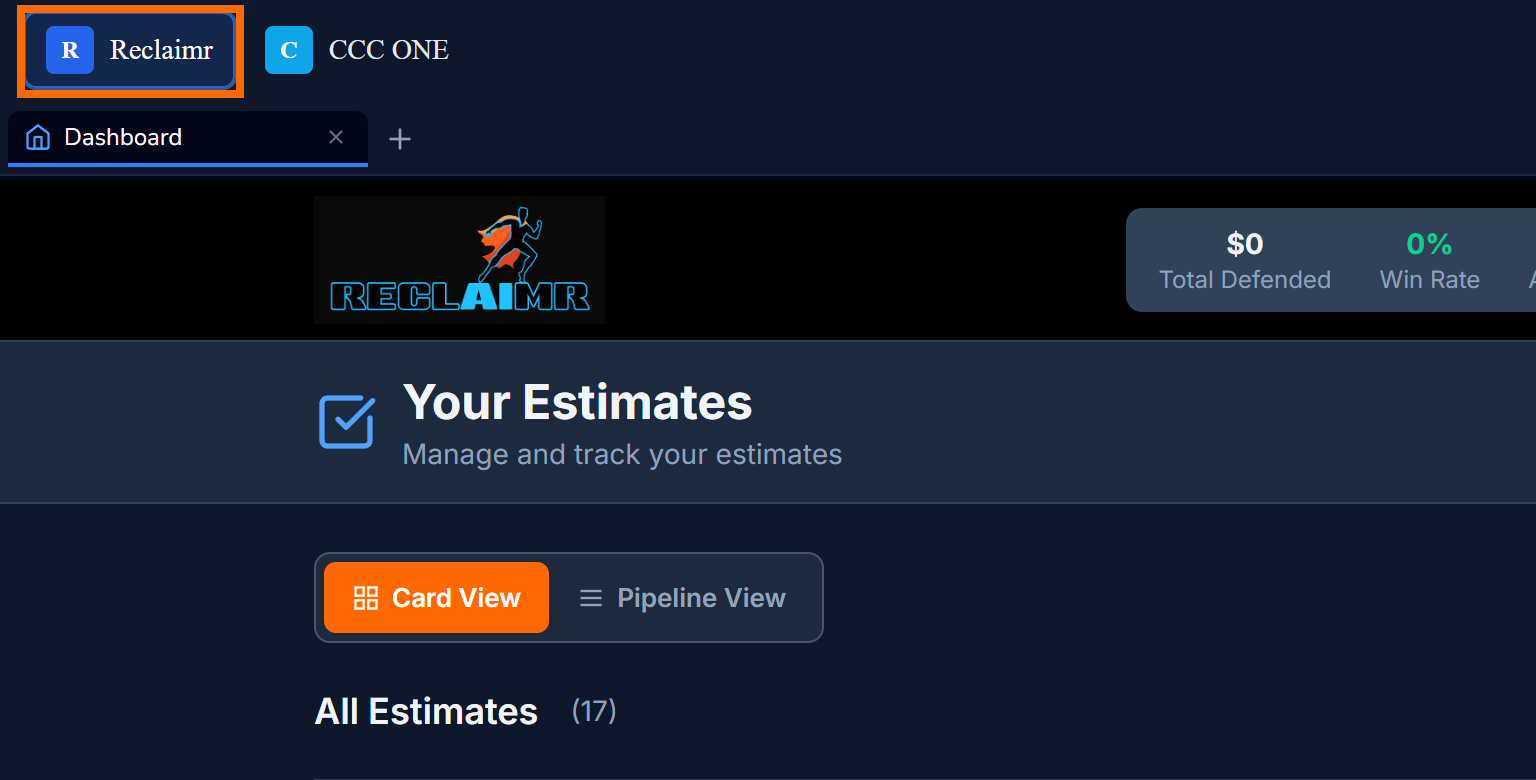
Hero Connect opens to Reclaimr. Sign in with the same email and password you use at app.reclaimr.ai.
If something looks different
- If the download does not start, refresh the page and click the download link again.
- If your browser says the file
isn't commonly downloaded
or Windows says itprotected your PC,
see If your browser warns about the download above — those messages are expected. Only contact support if the message says something different, such as that the file is a virus or was deleted. - If Hero Connect does not open after setup, open Hero Connect from the Windows Start menu.
- If Hero Connect opens but does not show your Reclaimr dashboard, sign in with your Reclaimr account.